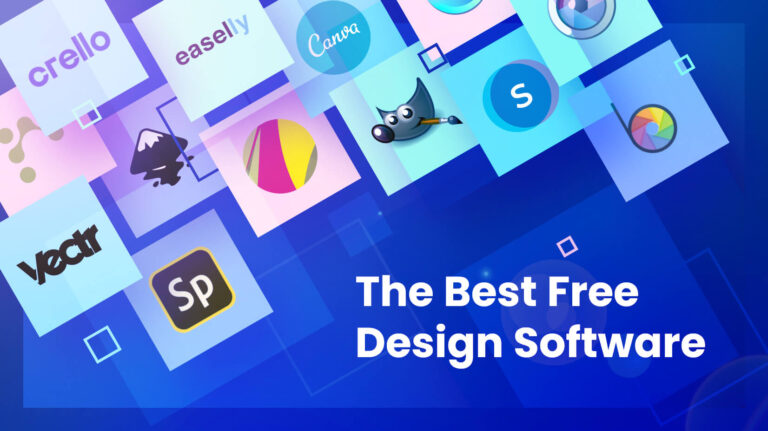
Graphic Design Tools Free: Create Stunning Designs Easily
Discover the best graphic design tools free to create stunning logos, social media posts, and marketing designs without any cost. Start designing today! Introduction In today’s digital world, design is everywhere. From social media posts and business logos to website banners and marketing materials, visuals play a crucial role in communication. But here’s the good news—you don’t need to spend thousands of rupees on expensive software to create professional designs. Thanks to the rise of graphic design tools free, anyone can now design like a pro without any prior experience. Whether you’re a student, freelancer, small business owner, or content creator, free design tools can help you bring your ideas to life quickly and efficiently. In this detailed guide, we’ll explore the best tools, features, benefits, and tips to help you make the most out of free design platforms.{1} Why Choose Free Graphic Design Tools? Before diving into the tools, let’s understand why free tools are becoming so popular. Cost-Effective Solution Not everyone can afford premium tools like Photoshop or Illustrator. Free tools provide a great alternative without compromising too much on quality. Beginner-Friendly Most free tools are designed with simple interfaces, making them perfect for beginners. No Installation Required Many tools are web-based, so you can design directly from your browser. Perfect for Small Businesses If you’re running a startup or local business, using graphic design tools free helps you save money while still creating professional visuals.{2} Best Graphic Design Tools Free in 2026 Here are some of the most powerful and popular free tools you can start using today Canva Canva is one of the most widely used tools for beginners and professionals alike. Features: Best For: Social media graphics, presentations, posters Photopea Photopea is a browser-based alternative to Photoshop. Features: Best For: Photo editing and advanced graphic work{3} Figma Figma is widely used for UI/UX design and collaboration. Features: Best For: Website and app design{4} Pixlr Pixlr is a lightweight online photo editor. Features: Best For: Fast editing and image enhancement{5} GIMP GIMP is a powerful open-source software. Features: Best For: Professional-level editing{6} Adobe Express Adobe Express is a simplified version of Adobe tools. Features: Best For: Beginners and marketers VistaCreate VistaCreate is similar to Canva with creative templates. Features: Best For: Content creators Features to Look for in Free Design Tools When choosing the best graphic design tools free, consider these important features.{7} Advantages of Using Free Design Tools Accessibility You can access tools from anywhere with an internet connection. Quick Learning Curve No need for professional training. Time-Saving Templates Pre-designed templates speed up your workflow. No Financial Risk You can experiment freely without spending money.{8} Limitations of Free Graphic Design Tools While free tools are great, they do have some limitations: However, for most users, graphic design tools free are more than enough.{9} How to Choose the Right Tool Selecting the right tool depends on your needs: Purpose Recommended Tool Social Media Design Canva Photo Editing Photopea / Pixlr UI/UX Design Figma Advanced Editing GIMP Tips to Create Professional Designs Even if you’re using free tools, your designs can look professional by following these tips: Use Consistent Colors Stick to a color palette. Choose the Right Fonts Avoid using too many fonts in one design. Keep It Simple Minimal designs often look more professional. Use High-Quality Images Always choose clear and sharp images. Align Elements Properly Proper spacing and alignment improve readability. Graphic Design Trends You Should Follow To stay ahead, keep an eye on these trends: Using graphic design tools free, you can easily experiment with these trends. Who Can Use Free Graphic Design Tools? These tools are suitable for: How Businesses Can Benefit Small businesses can use graphic design tools free to: This reduces dependency on expensive designers. Free vs Paid Tools: Which is Better? Feature Free Tools Paid Tools Cost Free Expensive Features Limited Advanced Ease of Use Easy Complex Best For Beginners Professionals For most beginners, graphic design tools free are the best starting point. Common Mistakes to Avoid Future of Free Graphic Design Tools The future looks promising as AI is being integrated into design tools. Features like automatic background removal, smart templates, and AI-generated layouts are becoming common. This means graphic design tools free will become even more powerful in the coming years. Conclusion Graphic design is no longer limited to professionals with expensive software. With the availability of graphic design tools free, anyone can create stunning visuals without spending money. Whether you want to design a logo, social media post, or marketing material, these tools provide everything you need to get started. The key is to practice, experiment, and stay updated with design trends. If you’re just starting out, pick one tool, learn it well, and gradually explore others. With consistency and creativity, you can achieve professional results using free resources.{10} By Durga Graphics
